 InkBurrow
How to fill a PDF form in Chrome
Google Chrome™ opens a PDF in its own viewer, and on a form with boxes that is often enough: you can type your answers and save them. Here is how, what the viewer does not do yet, and where InkBurrow helps.
We tried each step in Chrome 157 on real forms in November 2026. Chrome changes often, so yours may look a little different.
Fill a form in Chrome by itself
- Open the PDF in ChromeDrag the file onto a Chrome window, or press Ctrl+O (⌘+O on a Mac) and choose it. A link to a PDF on a web page opens in the same viewer.
- Type into its boxesClick a box and type. Tick its check boxes, choose one of its round buttons and pick from its lists. These boxes are the form’s own, put there by whoever made it.
- Save a copyPress the viewer’s download button and choose where to keep the file. Your answers are saved in the form’s own boxes, so other PDF readers show them too.
A form locked with a password asks for it on the page before it opens. Chrome may also offer to keep the file in an online drive, which asks you to sign in; the plain download keeps it on your computer.
What Chrome’s viewer does not do yet
- A typed signature. It has no way to type your name as a signature. You can draw one freehand with its Pen tool, with your mouse or touchpad.
- A signature used again. A signature you draw is not kept for the next form: you draw it again each time.
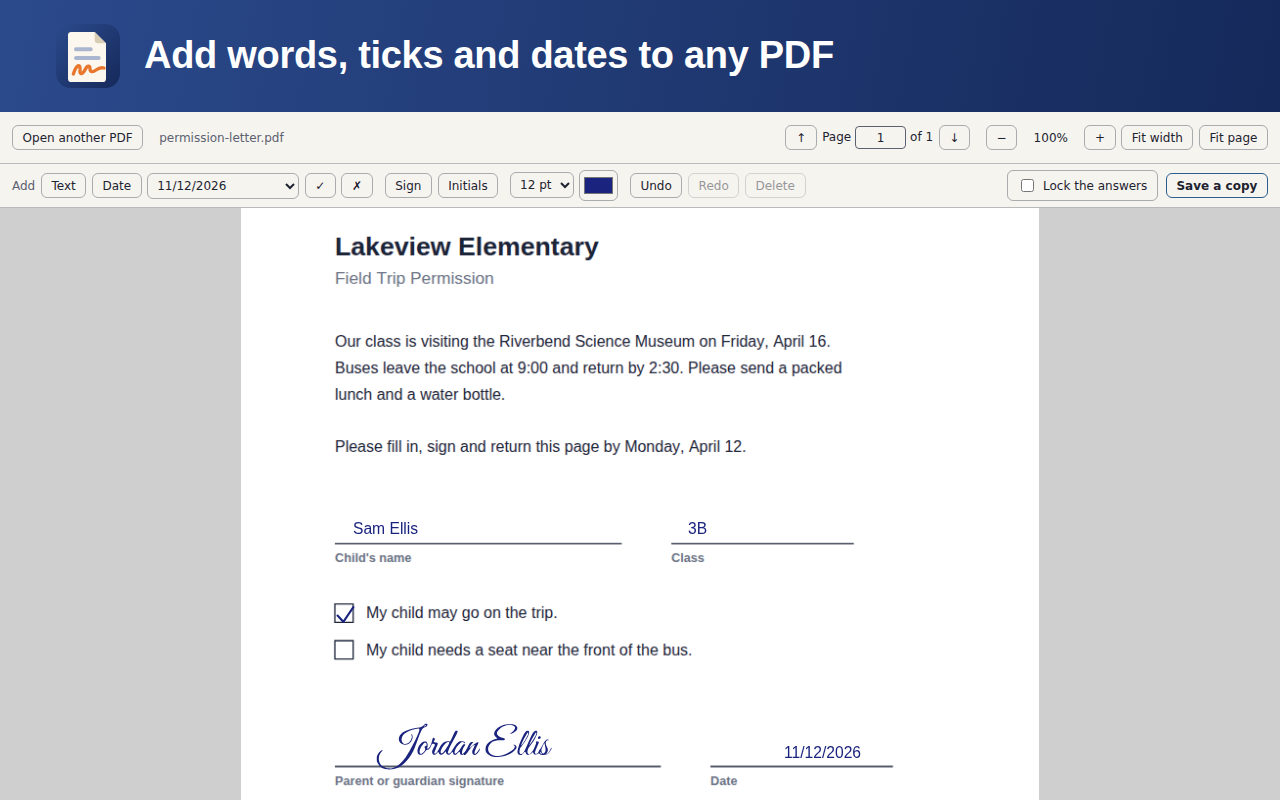
- Words on a page with no boxes. Many forms are printed pages with lines, not boxes. Google’s help describes an Add text tool from Chrome 151, rolled out gradually, so some copies of Chrome have it and some do not; the copy we tried did not.
- A date or a tick where there is no box. Both can only be typed into a box, or drawn by hand.
Where InkBurrow helps
InkBurrow is a browser extension for Google Chrome™ that does the rest in your browser. Your PDF is never uploaded. InkBurrow opens, fills and saves it in your browser, on this computer.
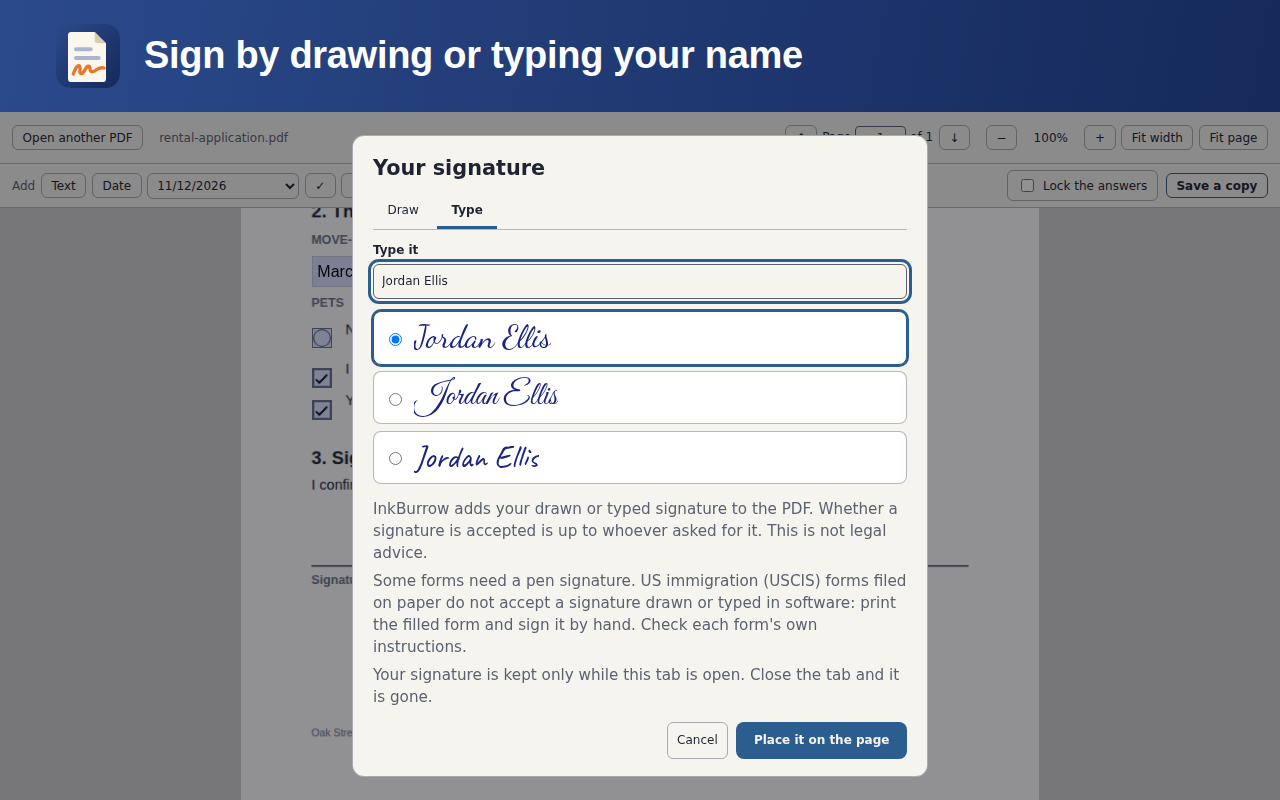
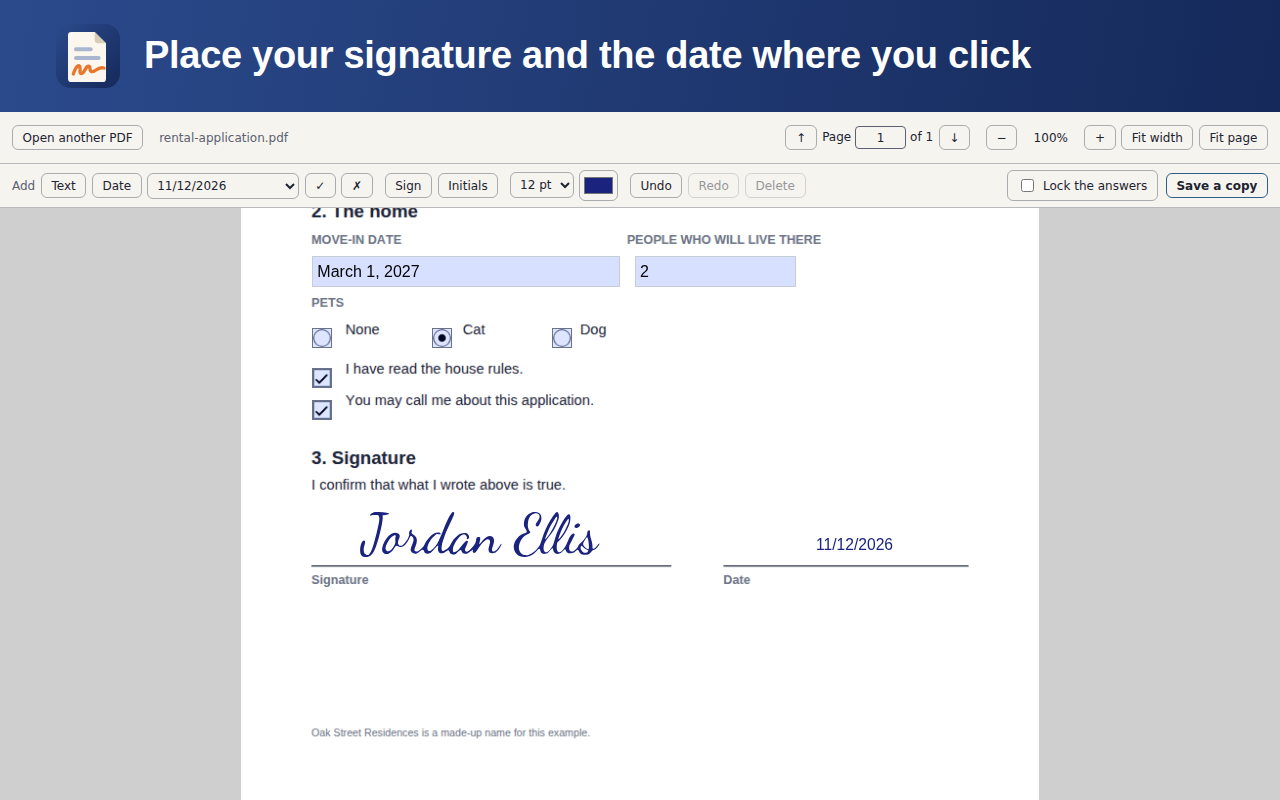
- Type your name in one of three letterings, or draw your signature, and place it on the line as one mark you can move and resize. Your initials too.
- Add words, dates, ticks and crosses anywhere on a page that has no boxes.
- Fill the form’s own boxes, and keep your answers in those boxes when it saves a copy. “Lock the answers” saves a copy whose answers can no longer be changed.
- No account and no watermark, and nothing offers to keep your file online.
Get InkBurrow for Google Chrome™
About signing
InkBurrow adds your drawn or typed signature to the PDF. Whether a signature is accepted is up to whoever asked for it. This is not legal advice.
Some forms need a pen signature. US immigration (USCIS) forms filed on paper do not accept a signature drawn or typed in software: print the filled form and sign it by hand. Check each form's own instructions.
Where to get it
InkBurrow is for Google Chrome™ on a computer. Add it from the Chrome Web Store, with no account.
Google Chrome is a trademark of Google LLC. Use of this trademark is subject to Google Permissions.